Back to home
Flora - AI Coding Assistant
Flora is an AI-powered coding assistant that helps users build, iterate and deploy applications using natural language prompts. The platform combines prompt-based interactions, real-time code generation, live previews and project management in a single workspace. I designed the product interface to make AI-assisted development intuitive, fast and production-focused.
Industry
Ai coding, Saas, Developer tools
Role
Product Designer
Timeline
6 weeks

The Problem
Many AI coding tools feel complex, fragmented, and intimidating to people who want to build digital products but don’t have deep technical knowledge. Existing solutions often rely on technical language, multiple tools, and confusing workflows that make it hard for non-technical users to move from an idea to something real.
The Goal
Design an AI-powered product that:
Allows people to build digital products using plain language
Keeps ideas, output, and previews in one simple workspace
Feels approachable for beginners while remaining powerful for advanced users
Reduces friction between idea, creation, and launch
Design Process
Product Structure & Key Screens
Flora was designed around a prompt-first experience, where users describe what they want to create in simple language and see it come to life instantly. Each screen supports a clear step in that journey.
Authentication & Onboarding
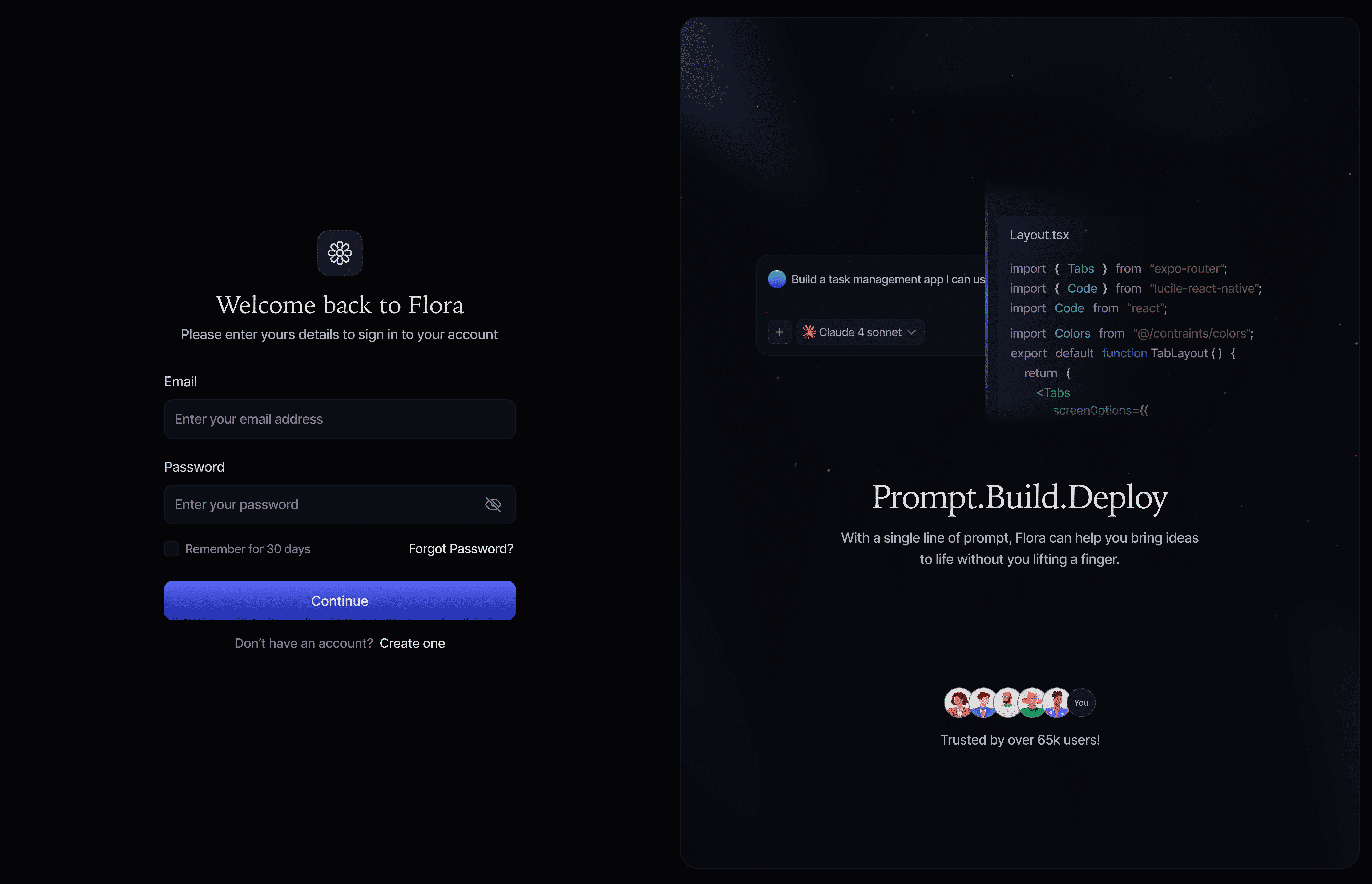
The sign-in experience is clean and welcoming, designed to get users into the product quickly. The supporting visual introduces Flora’s core value - Prompt. Build. Deploy - setting expectations before users begin.
Design Focus:
Simple, distraction-free layout
Clear messaging
Fast entry into the product
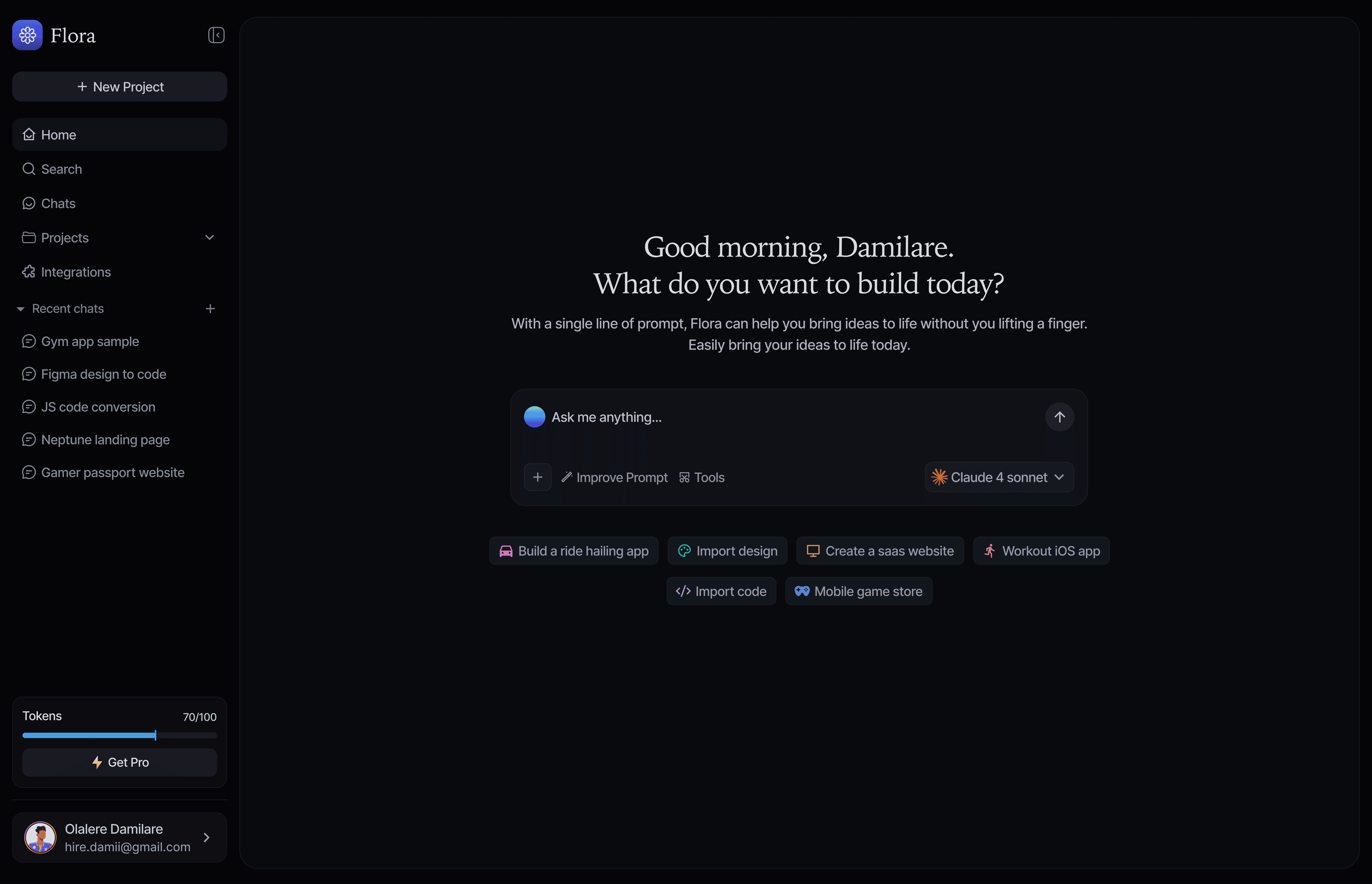
Prompt Interface (Getting Started)
This screen is the main entry point into Flora. Users are encouraged to describe what they want to build in their own words. Suggested actions help new users understand what’s possible without feeling overwhelmed.
Design Focus:
Prompt as the primary action
Clear visual hierarchy
Friendly, guided starting point
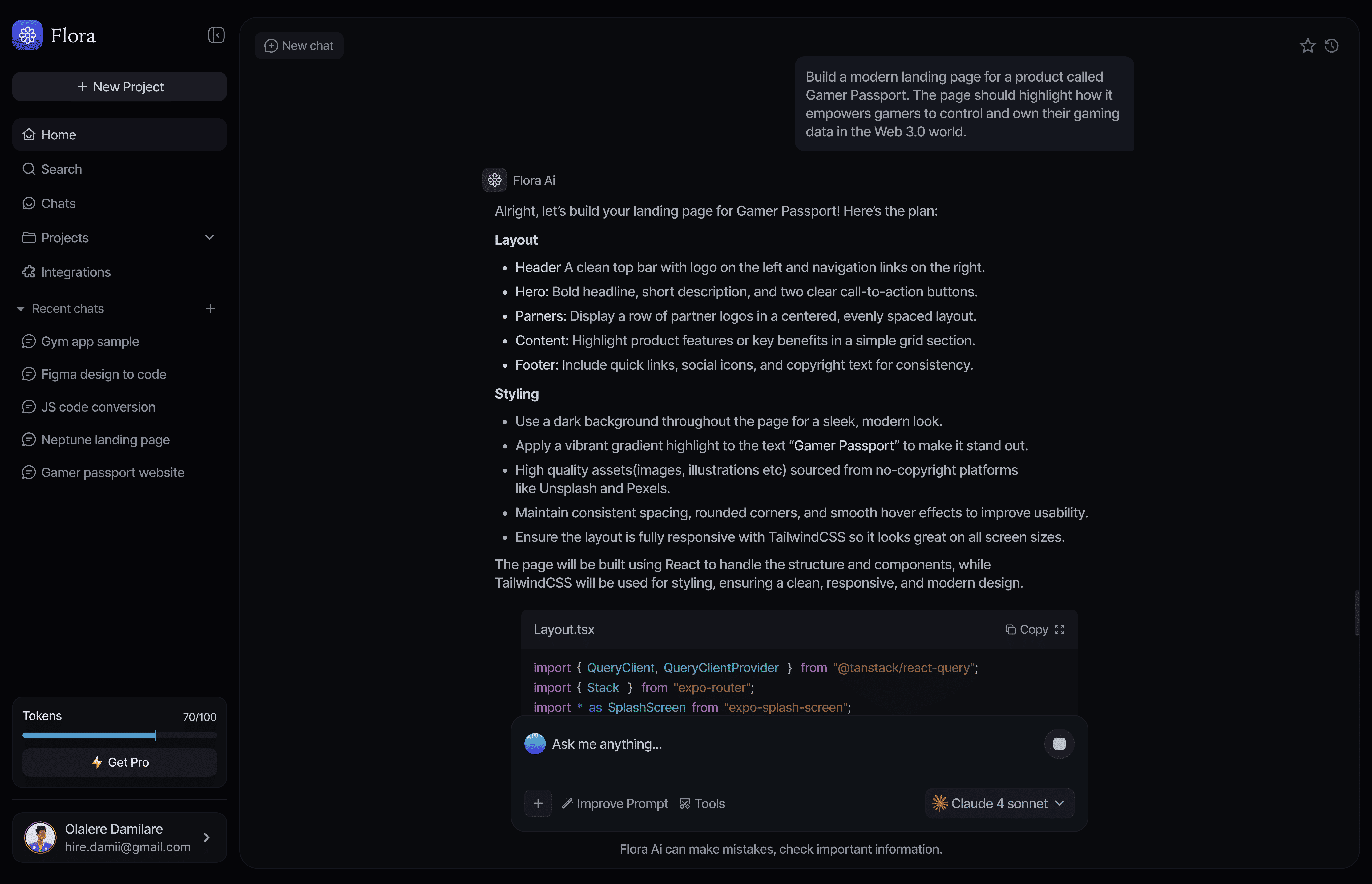
Prompt with AI Response
After a prompt is submitted, Flora responds with clear, structured output that explains what is being created. This helps users follow along and stay confident, even if they’re not familiar with technical concepts.
Design Focus:
Easy-to-read responses
Clear separation between explanation and results
Conversational, supportive tone
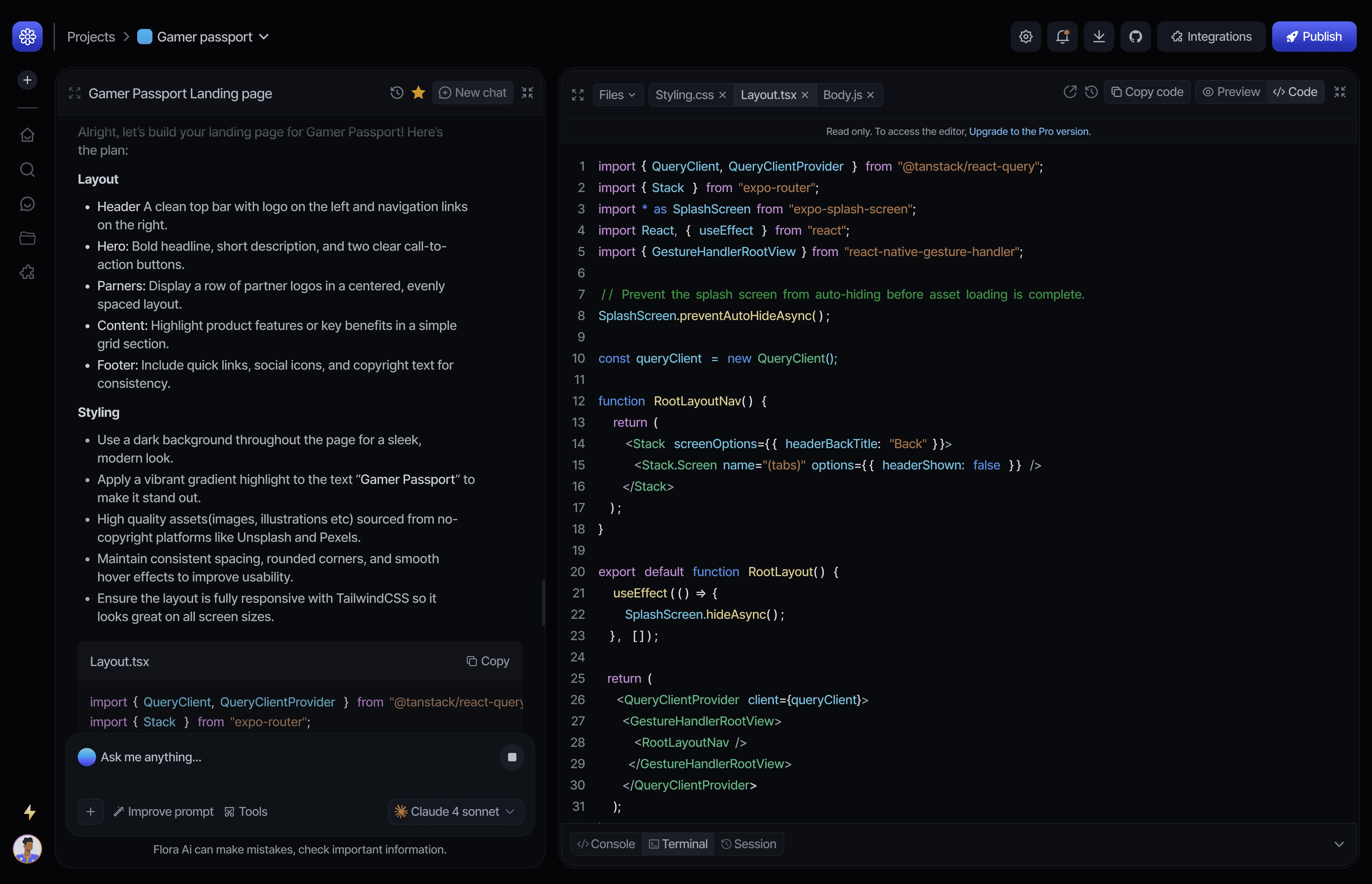
Prompt + Build View (Code)
For users who want more control, Flora introduces a split view where the prompt and generated output live side by side. This supports refinement and iteration without breaking focus.
Design Focus:
Side-by-side clarity
Progressive complexity
Smooth transition from simple to advanced use
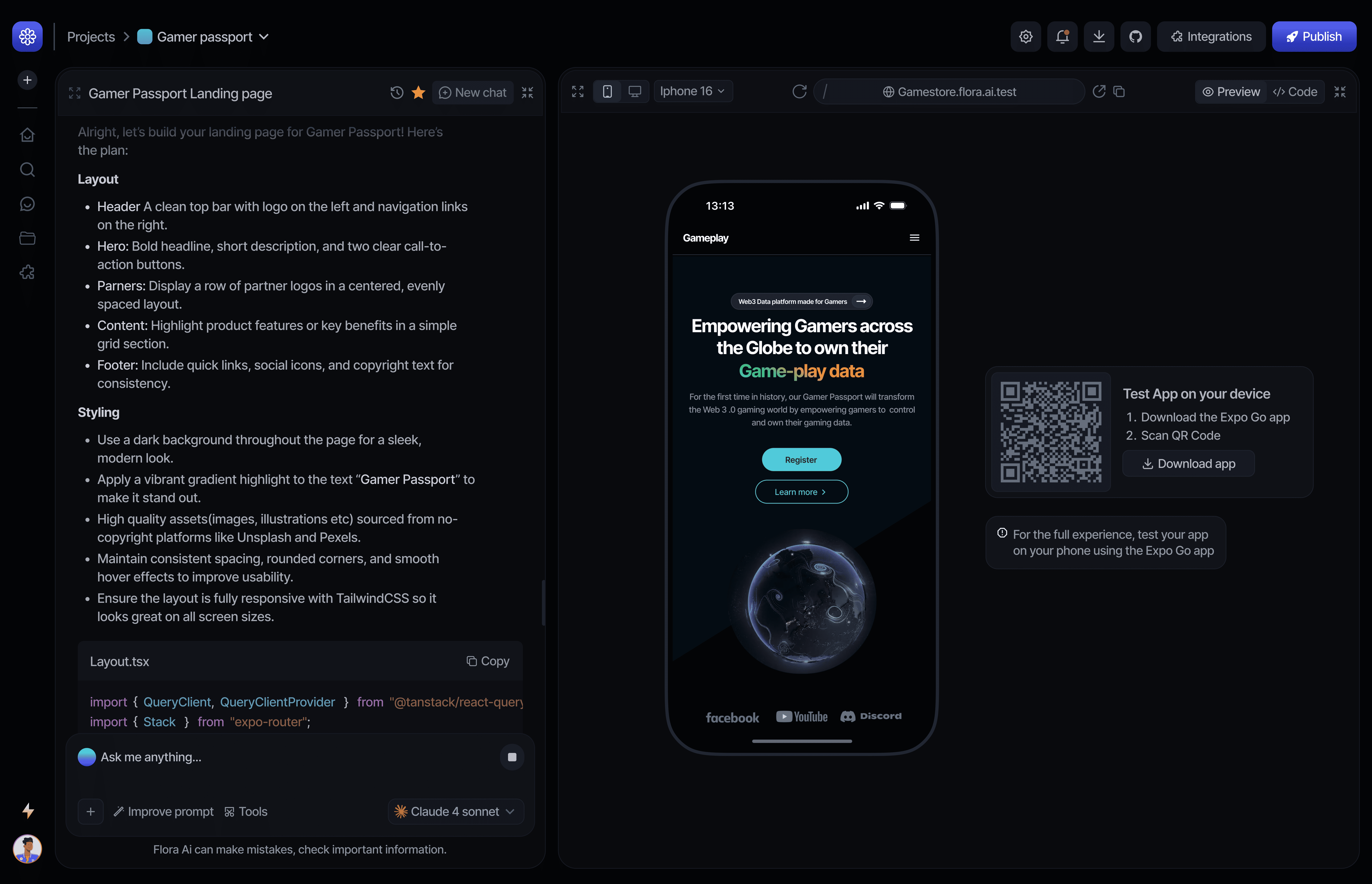
Prompt + Live Preview
This screen allows users to instantly see what they’re creating in real time. Visual feedback helps users understand progress quickly and encourages experimentation.
Design Focus:
Immediate visual feedback
Reduced guesswork
Strong connection between prompt and result
Projects
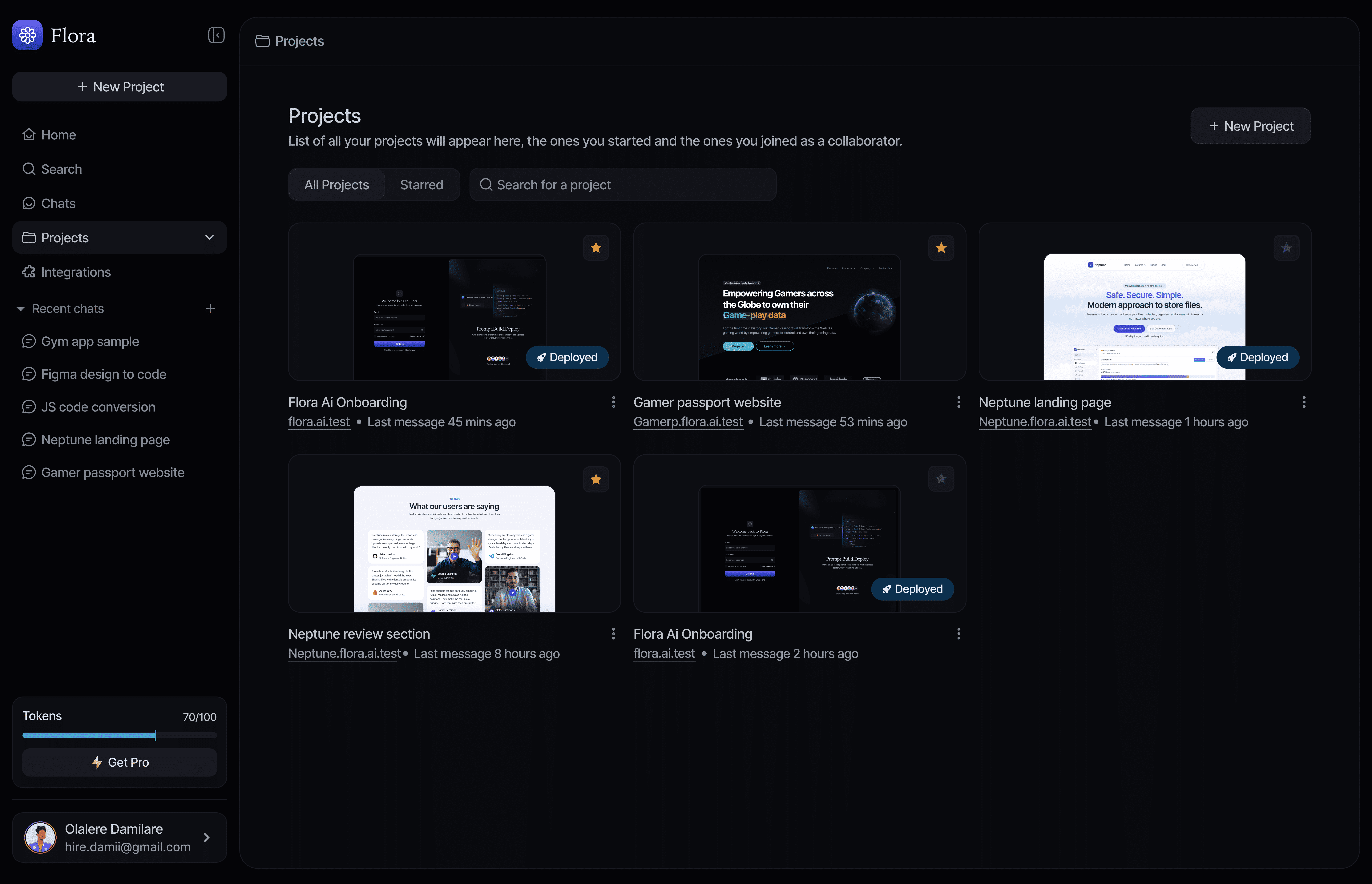
The Projects screen displays all user projects in one place, making it easy to view, revisit, and manage ongoing work. Users can quickly create a new project with a single click, search through existing projects, and track the status of each one.
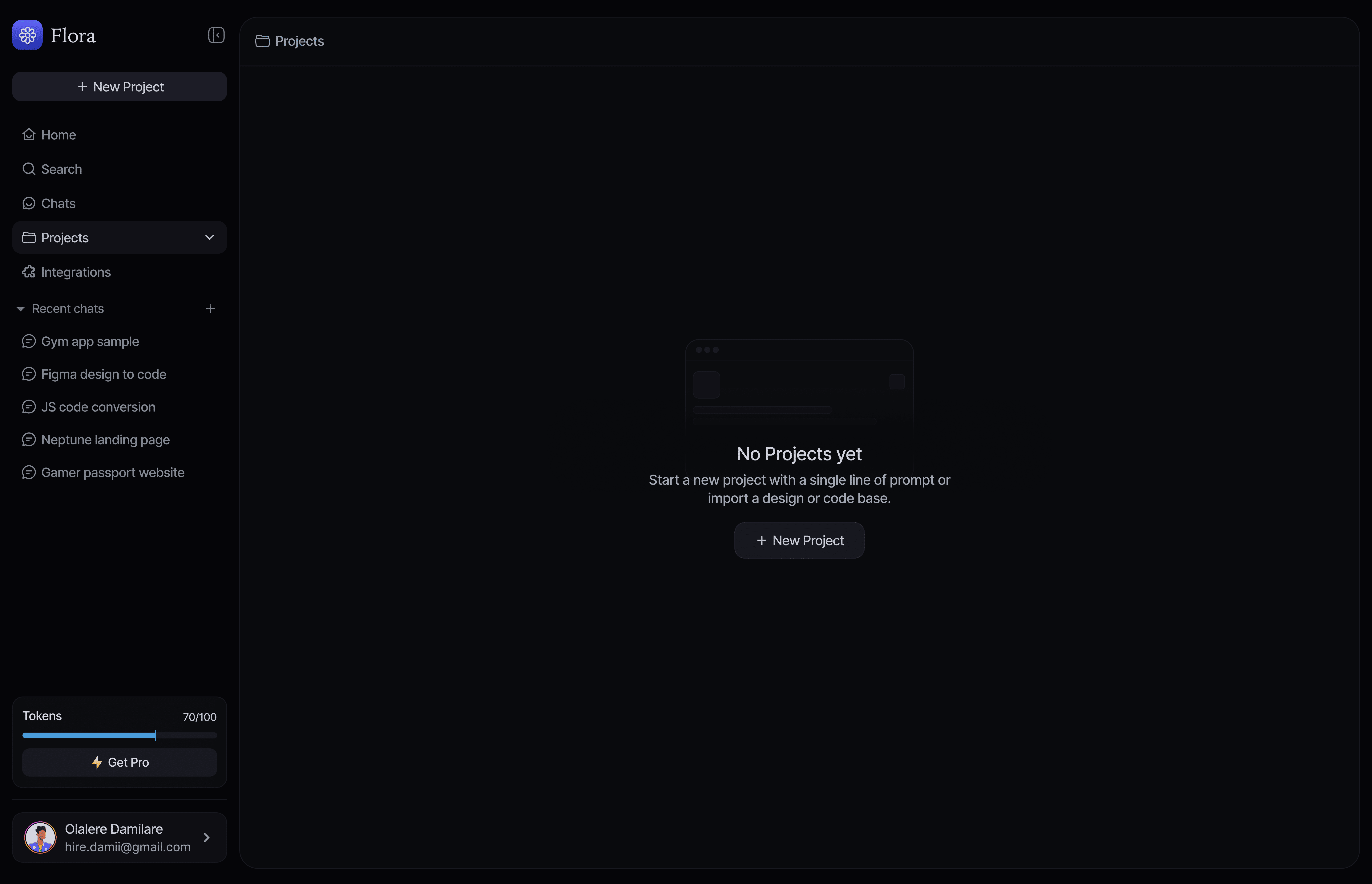
When no projects exist, the empty state clearly explains what to do next and encourages users to start their first project without friction.
Design Focus:
All projects displayed in a clear, scannable layout
One-click project creation
Search for quick access to existing work
Helpful empty states with clear next steps
Integrations
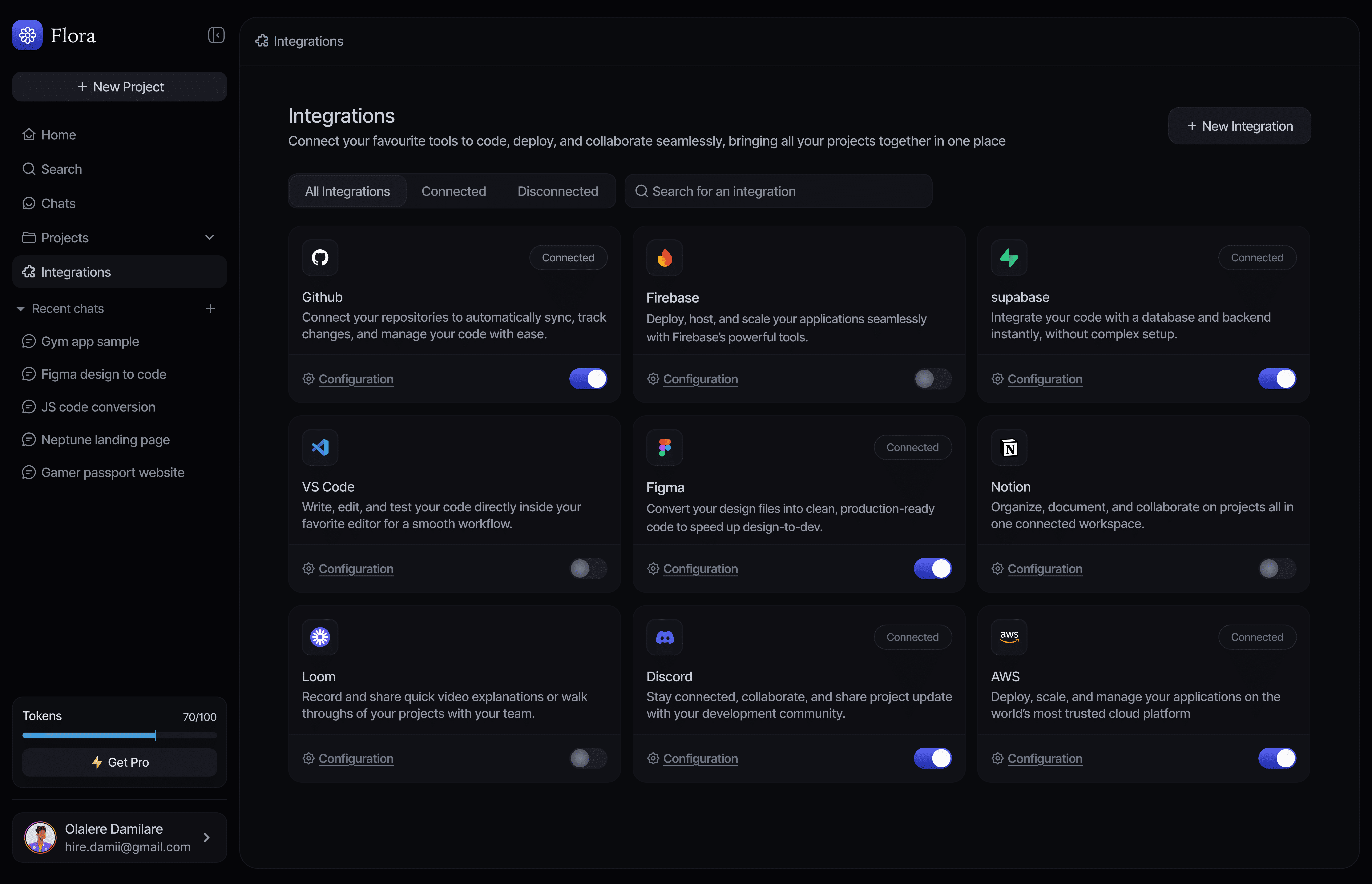
This section allows users to connect Flora with other tools they already use. The layout is designed to feel simple and scalable, with clear connection states and actions.
Design Focus:
Easy-to-understand statuses
Clean, modular layout
Confidence in managing connections
Design Outcome
Flora delivers an approachable AI-assisted creation experience that lowers the barrier to building digital products. By focusing on clarity, structure, and real-time feedback, the platform supports both beginners and more experienced users without feeling overwhelming.
Flora - AI Coding Assistant
Flora is an AI-powered coding assistant that helps users build, iterate and deploy applications using natural language prompts. The platform combines prompt-based interactions, real-time code generation, live previews and project management in a single workspace. I designed the product interface to make AI-assisted development intuitive, fast and production-focused.
Back to home
Industry
Ai coding, Saas, Developer tools
Role
Product Designer
Timeline
6 weeks
The Problem
Many AI coding tools feel complex, fragmented, and intimidating to people who want to build digital products but don’t have deep technical knowledge. Existing solutions often rely on technical language, multiple tools, and confusing workflows that make it hard for non-technical users to move from an idea to something real.
The Goal
Design an AI-powered product that:
Allows people to build digital products using plain language
Keeps ideas, output, and previews in one simple workspace
Feels approachable for beginners while remaining powerful for advanced users
Reduces friction between idea, creation, and launch
Design Process
Product Structure & Key Screens
Flora was designed around a prompt-first experience, where users describe what they want to create in simple language and see it come to life instantly. Each screen supports a clear step in that journey.
Authentication & Onboarding
The sign-in experience is clean and welcoming, designed to get users into the product quickly. The supporting visual introduces Flora’s core value - Prompt. Build. Deploy - setting expectations before users begin.
Design Focus:
Simple, distraction-free layout
Clear messaging
Fast entry into the product
Prompt Interface (Getting Started)
This screen is the main entry point into Flora. Users are encouraged to describe what they want to build in their own words. Suggested actions help new users understand what’s possible without feeling overwhelmed.
Design Focus:
Prompt as the primary action
Clear visual hierarchy
Friendly, guided starting point
Prompt with AI Response
After a prompt is submitted, Flora responds with clear, structured output that explains what is being created. This helps users follow along and stay confident, even if they’re not familiar with technical concepts
Design Focus:
Easy-to-read responses
Clear separation between explanation and results
Conversational, supportive tone
Prompt + Build View (Code)
For users who want more control, Flora introduces a split view where the prompt and generated output live side by side. This supports refinement and iteration without breaking focus.
Design Focus:
Side-by-side clarity
Progressive complexity
Smooth transition from simple to advanced use
Prompt + Live Preview
This screen allows users to instantly see what they’re creating in real time. Visual feedback helps users understand progress quickly and encourages experimentation.
Design Focus:
Immediate visual feedback
Reduced guesswork
Strong connection between prompt and result
Projects
The Projects screen displays all user projects in one place, making it easy to view, revisit, and manage ongoing work. Users can quickly create a new project with a single click, search through existing projects, and track the status of each one.
When no projects exist, the empty state clearly explains what to do next and encourages users to start their first project without friction.
Design Focus:
All projects displayed in a clear, scannable layout
One-click project creation
Search for quick access to existing work
Helpful empty states with clear next steps
Projects
This section allows users to connect Flora with other tools they already use. The layout is designed to feel simple and scalable, with clear connection states and actions.
Design Focus:
Easy-to-understand statuses
Clean, modular layout
Confidence in managing connections
Design Outcome
Flora delivers an approachable AI-assisted creation experience that lowers the barrier to building digital products. By focusing on clarity, structure, and real-time feedback, the platform supports both beginners and more experienced users without feeling overwhelming.